The question
Your question in one line, the answers listed under it, both directions. This level is for the reader who wants the list.
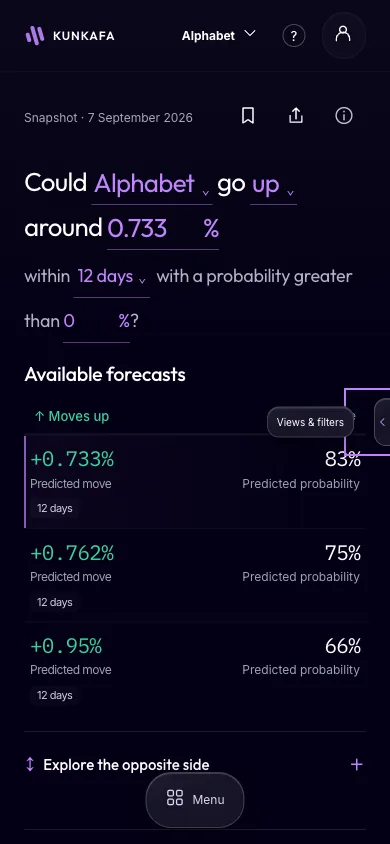
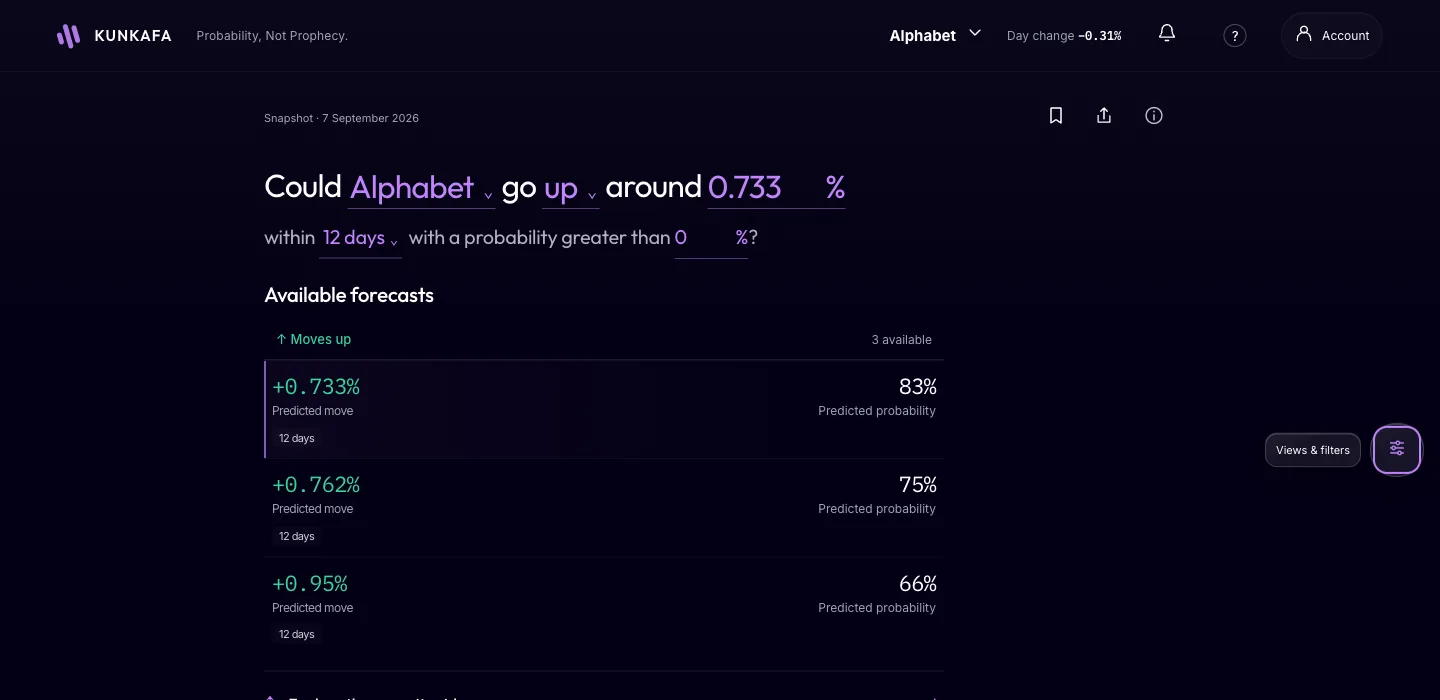
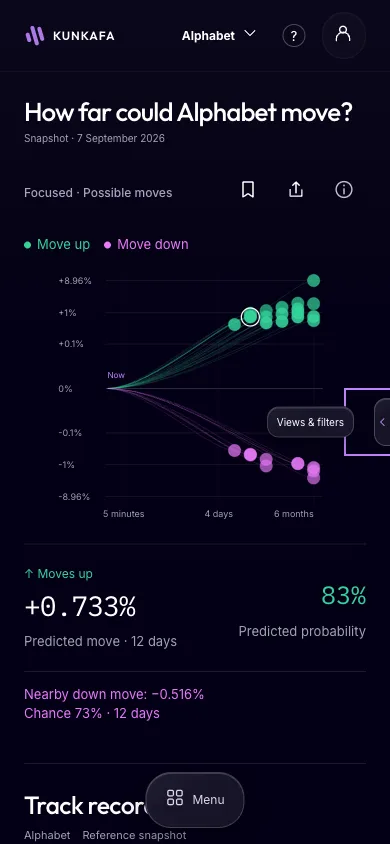
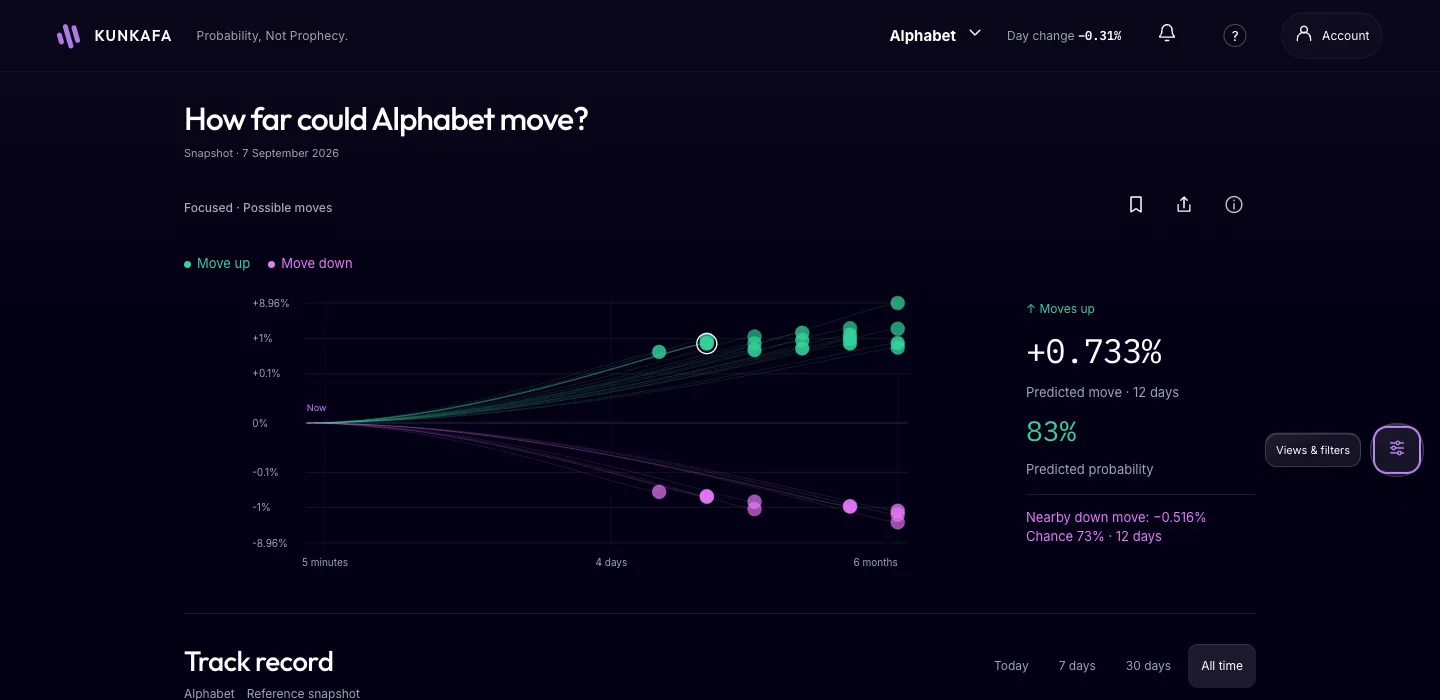
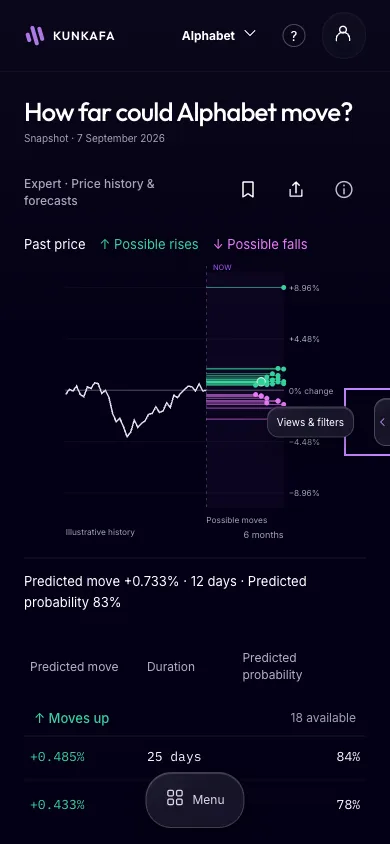
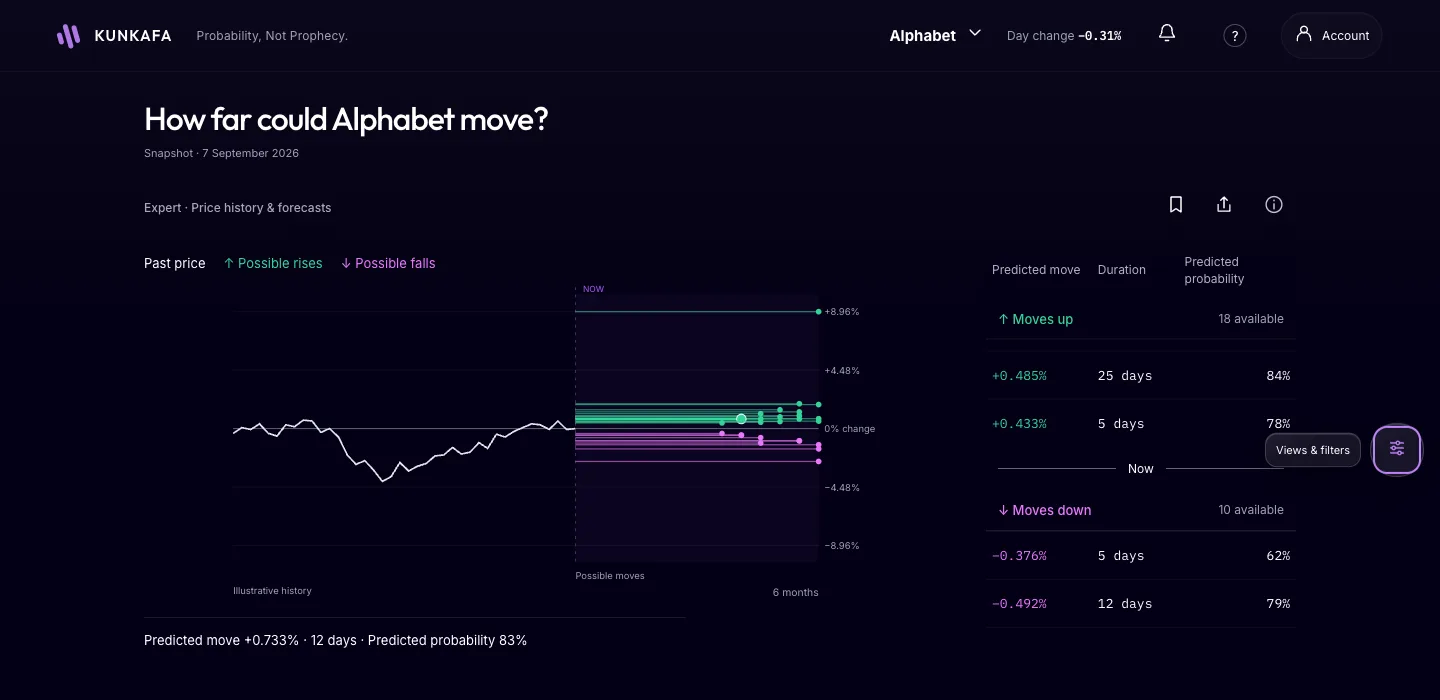
The same numbers, shown three ways, so a newcomer and an experienced reader each see what they need. These examples show the layouts using a capture of one market, Alphabet on 7 September 2026, at one confidence setting.
Forecast, not advice. Either, both or neither move could be reached.
Your question in one line, the answers listed under it, both directions. This level is for the reader who wants the list.
Every possible move from one point: farther right is more time, higher or lower is a bigger move, bigger dots are likelier. This level is for the learner who wants to see distance against time.
The price line, the forecast band, and every level with Kunkafa’s confidence. This level is for the experienced reader who wants everything on one screen.
Whichever level you read at, a 15-minute onboarding call is on offer on every plan: request it from inside the app and Kunkafa’s co-founder walks you through your first forecast and answers every question.
Today's app shows the full view. Open Kunkafa Predictions or read how Kunkafa’s confidence is worked out.